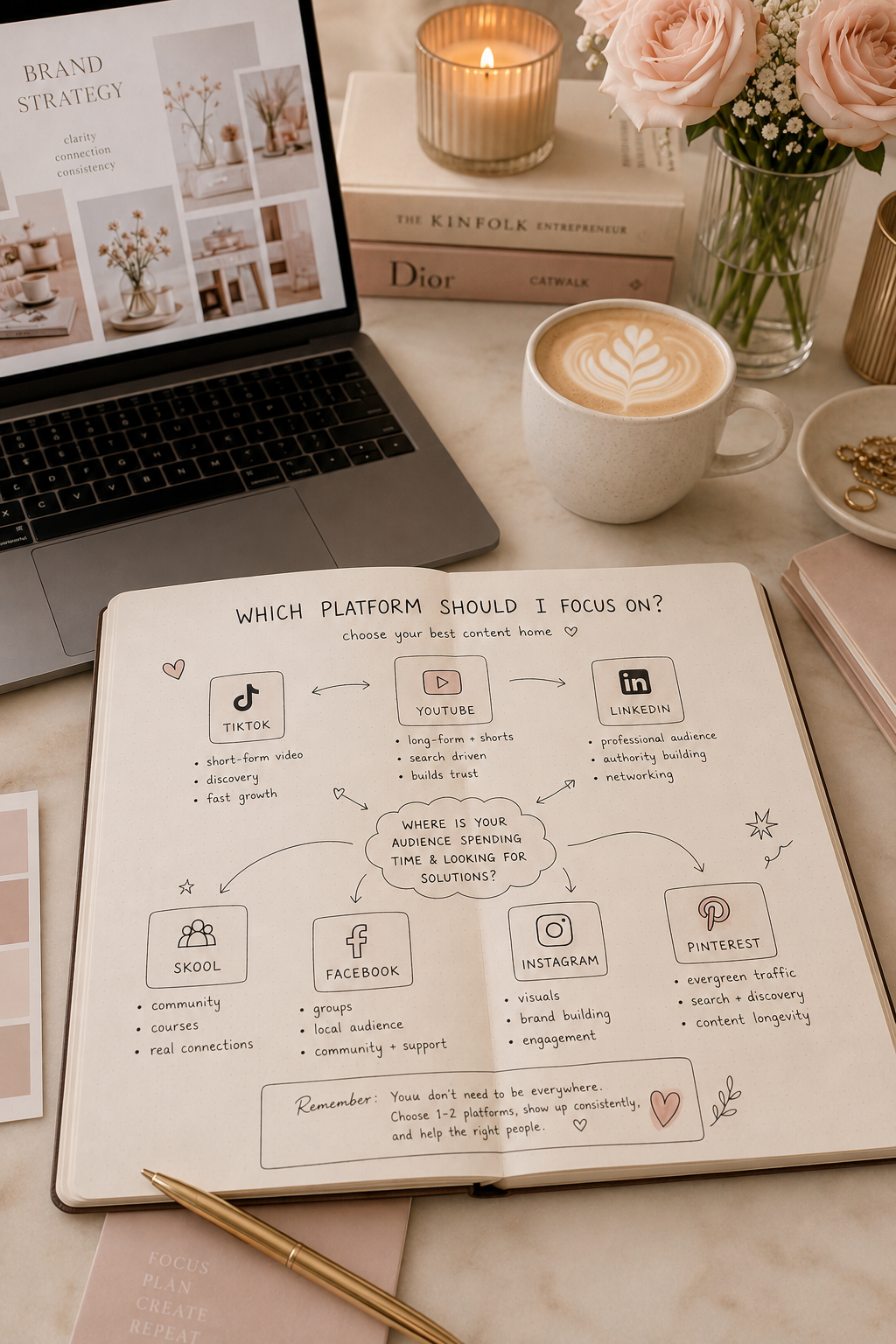

You’ve probably heard that you should be on Pinterest. Maybe you’ve even tried it. You posted a few pins, waited for something to happen, and when the likes didn’t come rolling in, you figured it wasn’t for you.
Here’s the thing: you were using it wrong. Not because you did something technically incorrect. But because you were treating Pinterest like Instagram or Facebook, and it’s not. It’s a search engine. The difference is everything.
Most small business owners think Pinterest is social media. They think they need followers. They think engagement means likes and saves. They think if nobody sees their pins in the first week, the platform isn’t working for them. So they post a few times, get discouraged, and move on.
But people who actually understand how Pinterest works are using it to drive consistent traffic to their websites, with minimal spend and zero reliance on having a huge following. The strategy isn’t complicated. It just requires understanding how Pinterest actually works.
Pinterest Isn’t Social Media. It’s a Search Engine.
When someone opens Instagram or Facebook, they’re scrolling through their feed. They’re seeing what their friends are doing. It’s passive. They might stumble across your business, but they might not.
When someone opens Pinterest, they’re searching for something specific. They’re typing “kitchen renovation ideas” or “small business tax tips” or “sustainable fashion brands”. They’re looking with intent. They’re not scrolling to pass time. They’re there because they want to find something.
Pinterest processes 80 billion searches every month. That’s people actively looking for ideas, solutions, and products. And when they find a pin from your business that matches what they’re searching for, they click through to your website. Not because you followed them back. Not because you commented on their pin. But because you showed up when they were looking.
This is why the numbers are so different on Pinterest. Users are three times more likely to click through to a website from Pinterest than from other social platforms. A pin can drive traffic for three to six months after you post it. People arrive with purchase intent already forming. It’s not the same game as social media at all.
I’ve discovered an incredible FREE Pinterest community that’s completely transformed how I approach Pinterest marketing. If you’re serious about growing your reach, you need to check this out:
Why This Matters for Small Business
You’ve probably heard that running a small business means doing more with less. Time, budget, energy. Everything is stretched thin.
Pinterest rewards consistency, but it doesn’t reward volume. You don’t need to post 10 pins a day. You don’t need a huge following. You don’t need expensive ads, though they can help if you want to test faster.
What you need is clear thinking about what your customer is searching for, and pins that show up when they search for it. Then you need to do that regularly. Not obsessively. Just consistently.
The conversion math works. Ads on Pinterest cost under two pounds per click. Conversion rates run up to eight percent. A small business owner selling something at decent margins doesn’t need thousands of clicks. They need a few hundred clicks from people who actually want what they’re selling.
And here’s what most people miss: a pin keeps working after you post it. You write a good pin description, optimise it for search, post it once, and it sits there driving traffic for months. You’re not feeding a social media algorithm that forgets your content after 24 hours. You’re building a discovery channel that compounds over time.
The Pinterest Beginner Workflow
Start here. This is everything you need to do.
Create Pins That Answer a Search Query
Before you create a pin, think about what someone would search for if they needed what you offer. If you run a design business, they might search “how to brief a designer” or “small business branding tips”. If you sell handmade jewellery, they might search “sustainable jewellery brands” or “gifts for people who have everything”.
Your pin—the image plus the text on it—should answer that search query visually. The image should be clear and relevant. The text on the pin should say what it’s about. “10 Branding Mistakes” or “How to Hire a Designer”. It doesn’t need to be fancy. It needs to be clear.
Write Descriptions That Optimise for Search
This is where most people go wrong. They write a cute caption like they’re posting on Instagram. “Loving this design moment” or “Check this out.” That doesn’t work on Pinterest.
Instead, write a description that includes the search terms someone would use. If your pin is about sustainable fashion brands, your description might be: “Sustainable fashion brands for small business owners. Ethical shopping guide for conscious consumers. Where to find eco-friendly clothing brands that actually deliver.”
You’re not being clever. You’re being searchable. Pinterest’s algorithm reads your description and matches it to search queries. The clearer you are about what your pin is about, the more likely it shows up for relevant searches.
Link to a Page That Delivers on the Promise
When someone clicks your pin, they should land on a page that actually covers the topic. If your pin says “10 branding mistakes”, they should land on a page about branding mistakes. Not your homepage. Not a generic product page. A page that delivers exactly what the pin promised.
This matters because if people click and immediately leave, Pinterest notices. If they click and stay, read, and maybe take an action, Pinterest learns that your pin is delivering real value and shows it to more people.
Post Consistently. Not Daily. Just Regularly.
You don’t need to post every day. Once or twice a week is enough. The goal is to build a library of pins over time, each one working in the background to drive traffic.
Pick a schedule you can actually maintain. Three pins a week? Great. Two pins a week? Also great. One pin a week? You’ll see results, it just takes longer.
The compounding works because each pin sits there working. After six months of consistent posting, you’ve got dozens of pins all driving traffic. Some will outperform others. Some topics will resonate more than you expected. But you won’t know which until you have data.
Measure What Matters
Check your analytics. Look at which pins drive clicks. Which search queries are people using to find your content. Which pins drive the most traffic to your website. You’ll start to see patterns. Certain topics work better than others. Certain ways of describing things resonate more.
Then create more of what’s working.
The Long Game
Pinterest works because it’s built for discovery, and discovery takes time. But the payoff is a traffic channel that doesn’t depend on algorithms suddenly changing, or on your followers liking you enough to engage. It depends on showing up when people search.
Spend the next month testing. Create five to ten pins about topics your customers actually search for. Optimise the descriptions. Link to real pages on your website. Then watch what happens over the next three months.
You’ll probably be surprised by which pins drive traffic. You’ll see where your customers are actually looking. And you’ll have the foundation for a strategy that actually works.
That’s all it is. Clear thinking. Good descriptions. Consistent posting. Let the platform do what it was built to do.
IAnd finally, I use this method with small business clients to help them get consistent traffic to their website through Pinterest and organic search. The difference is always visible within three to six months when they commit to the system. Drop me a line if you want to talk about your Pinterest strategy.