
Your Pins aren’t getting seen. You’ve posted a few nice graphics, maybe some product shots, and… nothing. No clicks, no saves, no traffic back to your site.
The problem isn’t your product. The problem is that you’re treating Pinterest like Instagram.
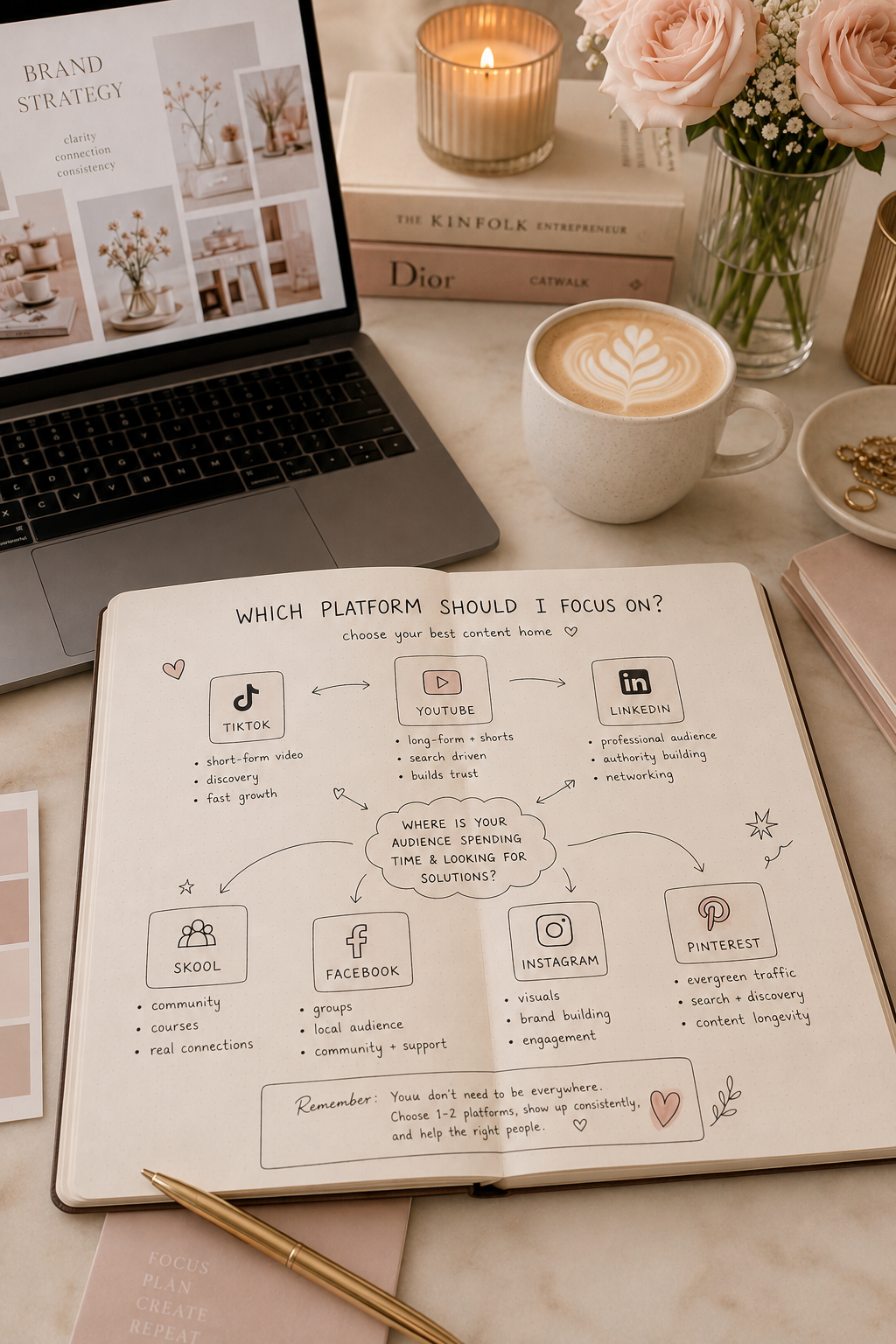
Most people think of Pinterest as another social platform where you post and hope people scroll past it. That’s why their Pins go nowhere. Pinterest isn’t social media. It’s a search engine. And if you treat it like a search engine, it starts sending you traffic that actually converts.
Pinterest Isn’t Social, It’s Search
This is the most important thing to understand. On Instagram or Facebook, your post has about 24 hours to perform. After that, it disappears. Your followers scroll past it, it’s gone.
On Pinterest, a good Pin can work for years.
Pinterest users aren’t scrolling to see what their friends are doing. They’re searching for something specific. They want ideas. They want solutions. They want inspiration for something they’re actually planning to do.
This matters because it changes how you create Pins. It changes what you write in the description. It changes how often you post.
Here’s the data: 96% of searches on Pinterest are unbranded. That means most people aren’t searching for your brand. They’re searching for things like “affordable office chair”, “sofa ideas for small rooms”, or “how to organise a kitchen on a budget”. If your Pin shows up for those searches, you win traffic.
Small brands can compete here because it’s about the quality of your Pin, not the size of your marketing budget.
The Algorithm Shift: Keep Your Account Fresh
Until a couple of years ago, Pinterest wanted you to post constantly. 50 Pins a day if you could manage it. Flood the platform, push as many out as possible.
That changed.
Today, Pinterest’s algorithm cares about freshness. One thing. Fresh Pins.
What’s a “fresh” Pin? It’s not just posting the same image again. It’s a new image. New text overlay. New design. Different layout. Even if you’re linking to the same page on your website, the Pin needs to look different.
Why? Because Pinterest wants variety in the discovery feed. If everyone just recycled the same graphics, the feed would get boring. So the algorithm rewards people who create new designs and penalises people who post the same Pin repeatedly.
This means you can post as little as 2-5 fresh Pins per week. Not 50. Five is OK. But they need to be different.
That’s actually good news if you’re a small business. It means you don’t need a huge content production machine. You need quality over quantity.
How to Keep Your Feed Fresh
Let’s say you’re selling a kitchen gadget. You could post:
A Pin showing the gadget on a white background with text saying “Revolutionary Kitchen Tool”. Then another Pin showing it in use, with different text. Then another showing it in someone’s kitchen, styled differently.
Same product. Three completely different Pins. All linking to the same product page.
The algorithm sees three fresh designs and promotes them. If you’d posted the same design three times, it would have noticed and stopped promoting it.
This is why Pinners who use automation tools actually do better than those who post manually. A good automation tool (not just a scheduling tool) creates fresh designs automatically. It scrapes your content, generates new designs based on it, and posts them at the right time.
Why ROI Matters
You might be wondering: why does any of this matter? Why not just focus on Instagram or Facebook?
Because the money is better on Pinterest.
Brands earn an average of £3.50 for every pound spent on Pinterest advertising. On Facebook and Instagram, that number is lower. The conversions cost less, and the people who buy are more likely to be high-value customers.
One in three Pinterest shoppers earns over £75,000 a year. And they’re 27% more likely to buy premium products than people on other platforms.
If you’re selling anything worth money, Pinterest is where your customers are already looking.
Why you Need Different Pins for Different Jobs
Here’s where it gets strategic. Not all Pins do the same thing.
Video Pins are short. They’re designed to get clicks. You post one, someone watches it, they click through to your website to buy something. Video Pins are your sales tool.
Idea Pins are different. They’re multi-page. They don’t have outbound links. They’re designed to build trust and authority. Someone saves them. They follow your profile. They come back. Idea Pins turn one-time viewers into repeat visitors.
A good strategy uses both. Idea Pins to build your audience and authority. Video Pins to drive sales.
Most people only do one or the other, then wonder why they’re not getting results.
Posting on Pinterest Consistently for SEO
Investing in a scheduling tool is less about buying simple automation and more about mastering the art of batching. Pinterest SEO relies on a steady, consistent stream of content, and doing that manually every single day is a quick path to burnout. A tool like Metricool is designed to take that repetitive logistical work off your plate so your strategy runs smoothly in the background.
The clearest example of this is their Autolists feature. Instead of logging in to schedule 20 individual Pins one by one across different boards, you can build a recurring content queue. You can feed your optimized content—or even sync your website’s RSS feed—directly into an Autolist, set your optimal posting times, and let it run.
Why it matters for SEO: This allows you to sit down once, batch weeks’ worth of keyword-optimized Pins, and let the system distribute them at a steady pace.
It keeps your profile active and favored by the Pinterest algorithm, moving you from a sporadic 5 Pins a week to a consistent 20 Pins a week without requiring any daily management on your part.
Start Here
Stop treating Pinterest like Instagram. You’ve got a search engine in front of you. Use it like one.
This week, pick one product or service you want to be found for. Search for it on Pinterest. Look at the Pins that show up. Notice the images. Notice what they’re saying. Notice that they’re all different designs.
Now create three different Pins linking to your relevant page. Make them different. Post one this week. One next week. One the week after.
Watch what happens.
If Pinterest is new to you and you’re not sure where to start, I highly recommend you join Pinterest Skool. It’s a free community where there are a ton of free resources for you to learn and join others in learning Pinterest